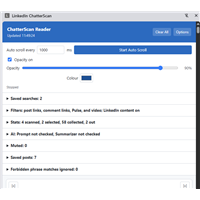
LinkedIn ChatterScan is a Chrome extension for making it easier to read your LinkedIn feed and find interesting content. It collects matching posts into a side-panel reader, with filters, saved searches, and saved posts to help you focus on what you want to read.
I built LinkedIn ChatterScan to help me find useful links and interesting posts without losing them in the flow of the feed. Read the selected content in the panel while you browse LinkedIn, then open the original posts and links when you want to investigate further.
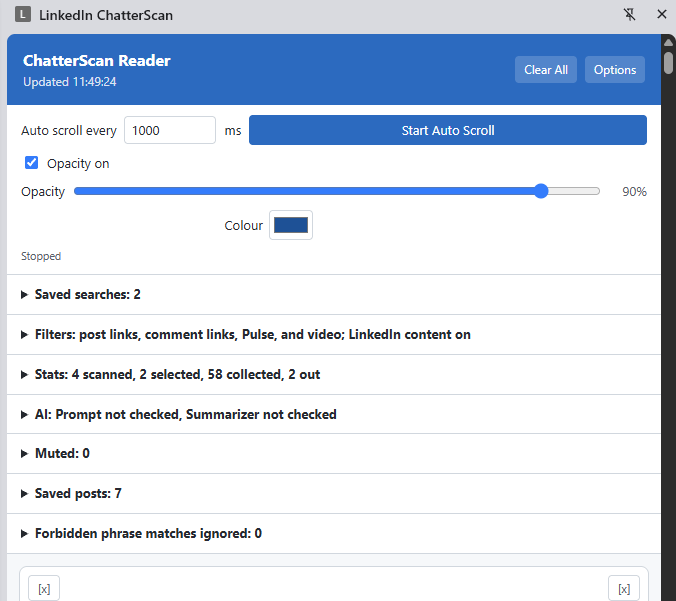
The reader panel brings feed controls, filters, saved searches, and saved posts together. Expand a section to see its settings or collected content.
Find Posts Worth Reading
ChatterScan scans posts already rendered in supported LinkedIn feed and search-result pages. It displays matching posts with their detected author, text, and links, including useful links found in rendered comments.
Choose the kinds of posts you want to include:
- Posts with useful links in the post body.
- Posts with useful links in comments.
- LinkedIn content links and Pulse article previews.
- Posts with embedded video.
- Posts without links, or advertising posts, when you choose to include them.
By default, it focuses on links in posts and comments. Reader posts remain collected as you continue browsing, so newly discovered content is appended while you read.
Make The Feed Match Your Interests
Use included phrases to bring matching topics into the reader, or forbidden phrases to exclude content you do not want to see. Phrase matching is literal and case-insensitive; forbidden phrases take priority over the other filters.
Mute an author to exclude their posts from future reader results, or dismiss an individual post for the current browser session. These actions affect the ChatterScan reader; they do not mute people or delete posts on LinkedIn.
The statistics section shows how many posts have been scanned, selected, collected, and excluded, helping you understand the effect of your filters.
Keep Searches And Posts For Later
Save searches for topics you return to regularly. Each saved search can include an exact phrase, excluded words, and a preference for results sorted by date. Opening one takes you to the corresponding LinkedIn content search.
Save interesting posts from the reader for later. Saved posts, saved searches, muted people, and your filter settings are stored locally in your browser. Clearing the current reader feed leaves saved posts intact.
Read While The Feed Scrolls
You can scroll LinkedIn yourself, or use Start Auto Scroll and choose the interval between scrolls. The panel also offers an optional overlay for the LinkedIn page, with adjustable colour and opacity, while auto-scroll is running.
The extension collects from rendered feed cards rather than retrieving a separate copy of your feed through LinkedIn’s APIs.
Optional AI Summaries And Topic Filters
Where Chrome’s built-in Summarizer API is available, ChatterScan can add a short summary above a post’s full text. Where the Prompt API is available, you can also define topics to ignore, such as job adverts or promotional posts.
The AI section reports whether those browser capabilities are available or need a model download. The reader and its regular filters can be used without the optional AI features.
Install In Chrome
The repository documents installation as an unpacked Chrome extension:
- Download or clone the Chatterscan repository.
- Open
chrome://extensionsand enable Developer mode. - Choose Load unpacked and select the repository’s
linkedin-chrome-extensionfolder, which containsmanifest.json. - Open your LinkedIn feed or a LinkedIn content search.
- Click the extension icon to open the ChatterScan Reader side panel.
Choose your filters and scroll the feed to collect matching posts. See the project README for the full settings, storage behaviour, and troubleshooting instructions.
Source Code
LinkedIn ChatterScan is open source under the MIT licence. Its source lives in the linkedin-chrome-extension folder of the Chatterscan repository.
This is the LinkedIn Chrome extension. The older Chatterscan Twitter Client has its own page.