
Mega Win Alt Tab is a free, open source Windows window switcher and app launcher. Type to find an open window or Chrome tab, preview it, and switch to it from the keyboard.
I wrote Mega Win Alt Tab to make it easier to find the window I want when I have lots of applications and browser tabs open. It also lets me launch applications and open favourite folders from the same search overlay.
Find And Switch Windows
Press Ctrl+Alt+Space (configurable hot key) to open the switcher, then start typing a window title or app name. The results include live window thumbnails so you can see which window you are choosing.
Use the arrow keys or Tab to select a result and press Enter to switch to it. Press Esc to close the overlay.
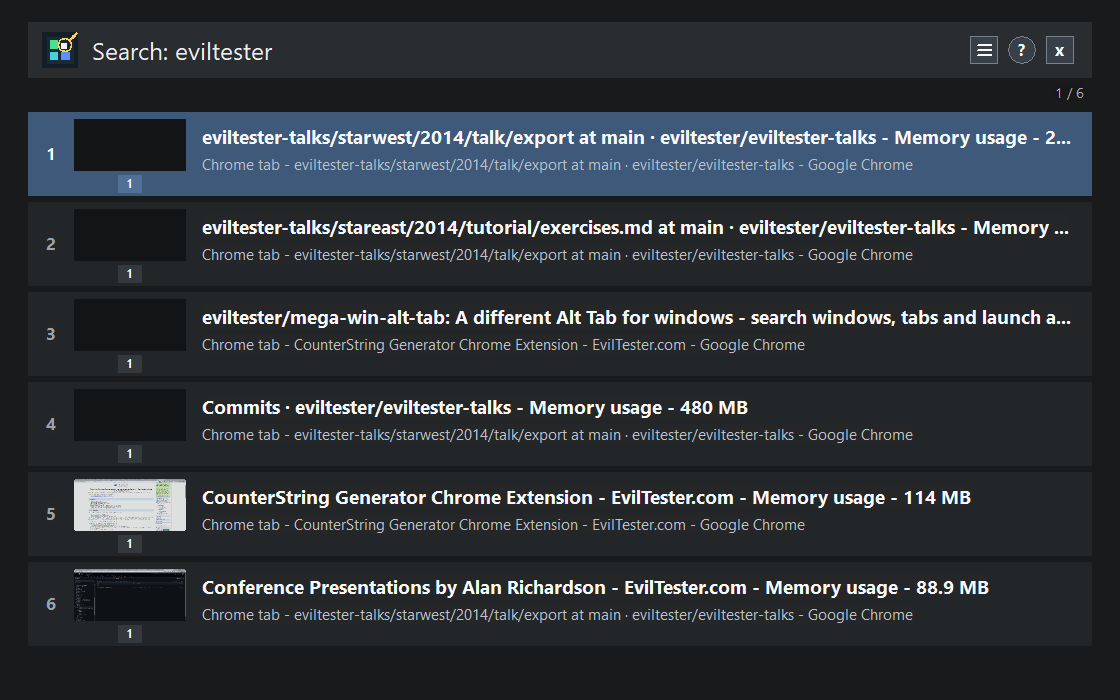
You can also manage the selected window from the keyboard: maximise or restore it, minimise it, centre it, or move it between monitors. On a multi-monitor setup, thumbnails show the Windows display number for each window.
Ctrl+D includes windows and tabs from other Windows virtual desktops. Selecting a window from another desktop brings that window onto the current desktop.
Search Chrome Tabs
Search includes Chrome tab titles as well as application windows. Windows UI Automation provides tab discovery without an extension. An optional companion Chrome extension provides tab titles and more reliable activation of the exact tab you select.
The extension is included in the release ZIP. Installation instructions are in the project README.
Search matches titles and app names; it does not search the contents of web pages or their URLs.
Launch Apps And Open Folders
While the overlay is open, press Ctrl+/ to switch to app launcher mode. Search for an installed application and press Enter to launch it. The launcher can also find matching apps running in the background.
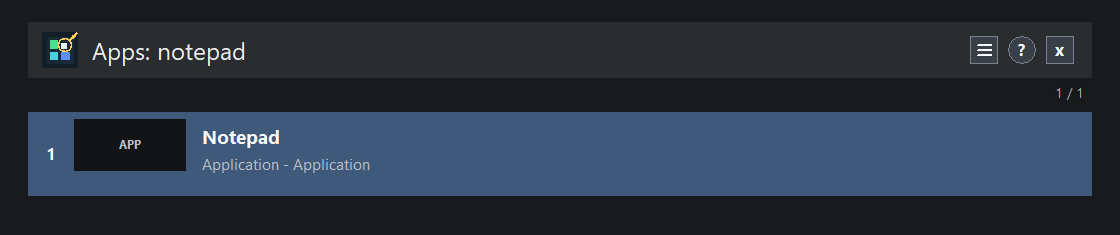
Drag a folder onto the overlay to add it as a favourite. You can then search for that folder in app launcher mode and open it with Enter.
Choose Your Shortcut
The switcher has a notification-area icon and a menu in its header. Use either menu to configure the activation shortcut, open the app log, enable running at startup, or exit the app.
Choose a shortcut preset or use Change Shortcut Keys… to capture your preferred key combination.
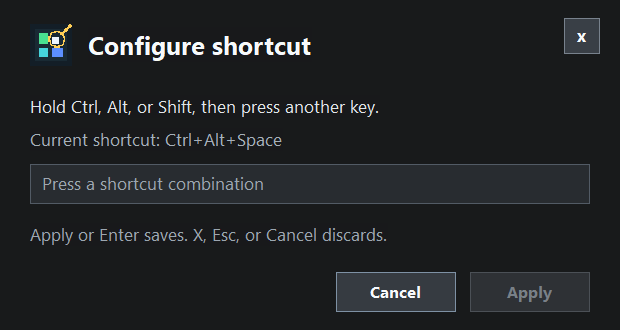
Mega Win Alt Tab runs alongside the built-in Windows Alt+Tab switcher. The default shortcut is Ctrl+Alt+Space.
Download And Source
Download the Windows executable or ZIP from the official GitHub releases. The ZIP also contains the README and companion Chrome extension.
Releases are currently unsigned Windows executables. See the project’s security notice for details. You can also build the app from source with Rust using cargo run.
Mega Win Alt Tab is released under the MIT licence.